Newsletter
Get the best indie finds in your inbox
New tools, product launches, and smart offers from indie makers.

Cross-platform text expander (Win, Mac, Linux). One hotkey inserts templates, snippets, replies where you're typing in any app. AI generates and rewrites text (AI Enhance, AI Command). Speech-to-text. Teams and Company sharing. 14-day trial, no card.

Dubai housing forecasts with building-level sale prices, rental yields, ROI analysis, and DLD transaction data.

yapyap records your meetings and turns them into clean, searchable transcripts: who said what, the decisions, and the action items.

Full X/Twitter routine on autopilot: replies, posts, reposts, DMs. Scale to 1,000 organic replies/day. Every day you wait, they grow.

One post, eight networks. Write it once and schedule across Facebook, X, Instagram, YouTube, TikTok, LinkedIn, Threads, and Bluesky.

Create App Store and Play Store screenshots, ASO copy, promo videos, app icons, mockups, localization, social graphics, and rank tracking in one launch workspace.

Turn any menu into a QR ordering system with online orders, 70+ languages, and Google review collection in minutes.
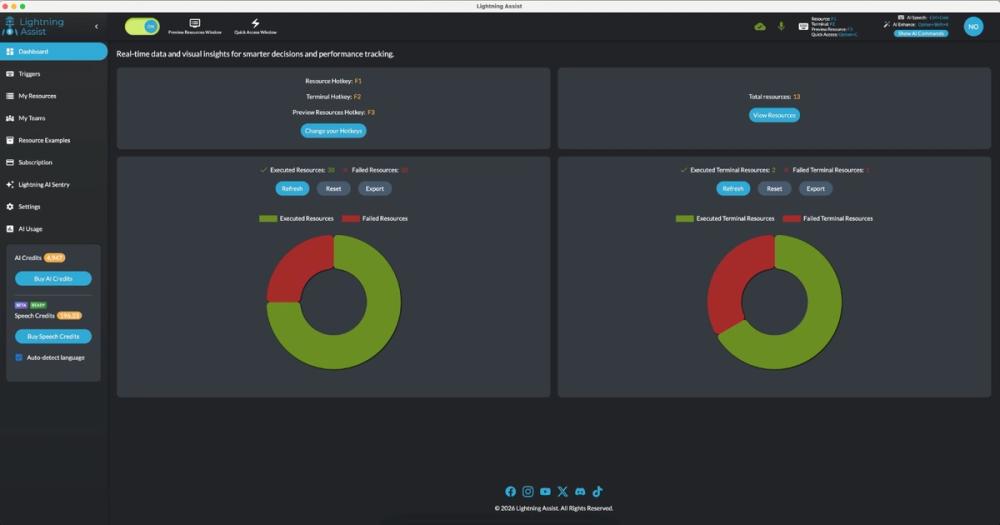
Lightning Assist is a desktop text expander that reduces repetitive typing and streamlines workflows across email, documents, chat, and code. You get instant text expansion via hotkeys, AI-powered resource generation and in-place editing, and optional push-to-talk speech-to-text—all within your existing applications.
Key features
Text expansion and resources: Create reusable text blocks (templates, snippets, signatures, boilerplate), assign hotkeys or search by key, and paste with one action. Multiple variations (replacements) per resource are supported. Works in any app: Gmail, Outlook, Slack, Word, VS Code, terminal, and more.
AI Enhance and AI Command window: Generate new resources from a natural-language description (e.g. "professional follow-up email") or edit existing ones. Select text in any app and trigger AI Enhance or open the AI Command window with clipboard content for translate, formalize, shorten, or rewrite—then paste the result back. Rich text from editors like Gmail or Word is preserved where possible. AI usage is metered via an optional AI Credits system.
Speech-to-text (push-to-talk): Optional desktop dictation: hold a key to record, release to transcribe. The transcribed text is inserted right where you're typing in the active application. Works in email, docs, chat, and code editors.
Teams and Company plans: Share resources with your team or across your organization. Team sharing and company-wide libraries keep templates consistent; Company Admin can invite and manage users so everyone has access to approved resources and workflows scale without re-creating content.
Lightning Assist runs natively on Windows, macOS, and Linux. 14-day free trial with full features, no credit card required. After the trial, choose Free (limited resources) or Premium (unlimited resources, AI features, team sharing, Company plans).