Newsletter
Get the best indie finds in your inbox
New tools, product launches, and smart offers from indie makers.


The one Mac app that replaces a dock full of utilities. File tray, clipboard, capture, file sharing, a launcher and 41 free extensions.

Dubai housing forecasts with building-level sale prices, rental yields, ROI analysis, and DLD transaction data.

yapyap records your meetings and turns them into clean, searchable transcripts: who said what, the decisions, and the action items.

Full X/Twitter routine on autopilot: replies, posts, reposts, DMs. Scale to 1,000 organic replies/day. Every day you wait, they grow.

One post, eight networks. Write it once and schedule across Facebook, X, Instagram, YouTube, TikTok, LinkedIn, Threads, and Bluesky.

Create App Store and Play Store screenshots, ASO copy, promo videos, app icons, mockups, localization, social graphics, and rank tracking in one launch workspace.
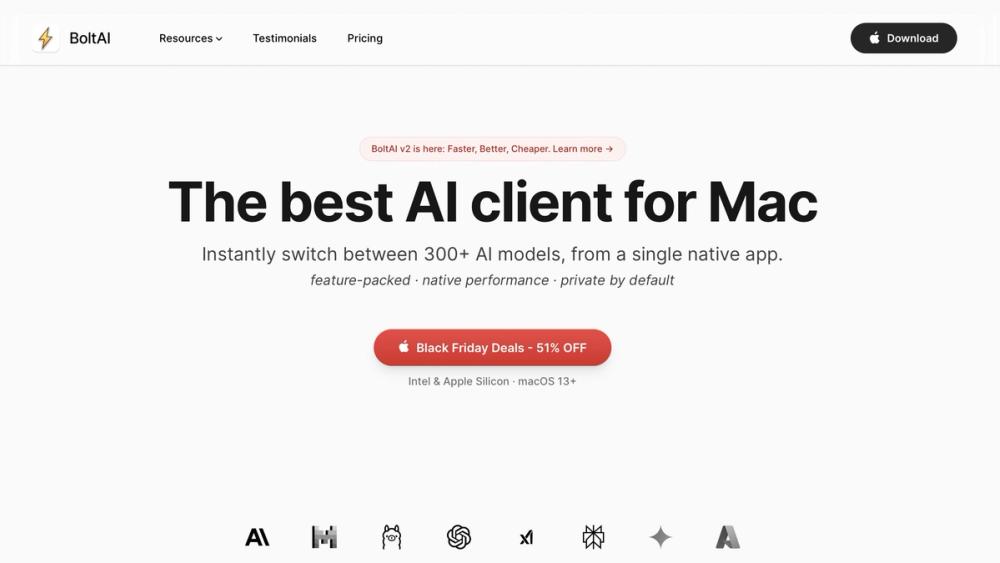
BoltAI is the best AI client for Mac — a native, privacy-first workspace for every AI model you use.
BoltAI turns your Mac into a serious AI workspace.
Use GPT-4, Claude, Gemini, Mistral, and local models (Ollama, LM Studio) in one fast, native app — with your own API keys and your data kept on your device.
Instant Chat anywhere
Open a global AI overlay from any app with a single shortcut, ask a question, and get back to work in seconds.
ShotSolve: screenshot → answer
Capture any part of your screen and let BoltAI explain errors, debug issues, or summarize what you’re looking at.
Dictation & inline editing
Dictate emails, notes, or ideas in any text field, then ask BoltAI to rewrite, shorten, or translate inline.
Use any model you want
Connect OpenAI, Anthropic, Google, Mistral, Azure, Bedrock, plus local models via Ollama and LM Studio.
Agents, projects, and tools
Build reusable AI agents with custom instructions, knowledge, and tools (including MCP servers) and keep your chats organized by project.
Privacy-first by design
Chats are stored locally on your Mac, keys can be encrypted with your own passphrase, and nothing is used for training.
Bring your own API keys, plug in your favorite models, and turn your Mac into the AI workstation you actually want to use.